AI TOOL / #05521
Expense Sorted
AI-based expense classification tool that supports Google Sheets and other platforms.
Introduction
AI-powered expense categorization tool for Google Sheets and other platforms.
What is Expense Sorted?
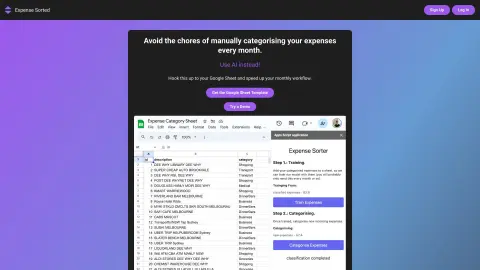
Expense Sorted is an AI-based tool designed to automatically categorize monthly expenses. It integrates with Google Sheets, Lunch Money, Tiller and the upcoming PocketSmith to help users simplify the budget management process. The tool eliminates the need for manual categorization by using AI to analyze transactions and assign them to appropriate categories. It also provides free Google Sheet templates to help users get started quickly.
How to use Expense Sorted?
1. Import transactions into Google Sheets. 2. Click on the Expense Sorted add-on to use AI to automatically sort transactions. 3. View and analyze the categorized data in your table.
Core features of Expense Sorted
Using AI to automatically categorize expenses
Integrates with Google Sheets, Lunch Money, Tiller and PocketSmith
Customizable categories to fit unique spending patterns
Privacy-focused design, data remains in the user’s Google Sheet
Supports API for custom integration
Related
ambit.ai
Ambit AI: An AI assistant platform designed for customer interactions and task completion.
Cokeep
Cokeep is an artificial intelligence-powered learning tool that helps users concentrate and retain knowledge.
Mintlify
A documentation platform that integrates AI, beautiful design, and developer-friendly features.
SkillMapper: Social Highlighter & Bookmarker
A learning center and a Chrome extension designed to help users save, organize, and discover learning materials.
Kili.so
Kili helps businesses use AI to respond to customers faster by importing knowledge.
FuseBase Clarity – Capture Step-by-Step guides, SOP and tutorials
Screen recording tool that automatically creates guides with AI editing and sharing capabilities.