AI TOOL / #03163
FuseBase Clarity – Capture Step-by-Step guides, SOP and tutorials
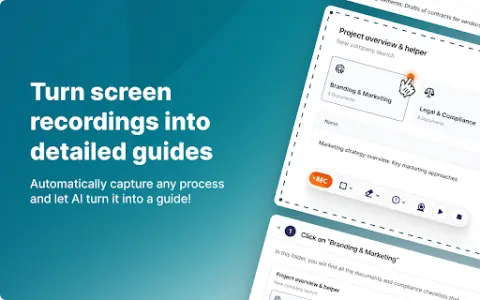
Screen recording tool that automatically creates guides with AI editing and sharing capabilities.
Introduction
Screen recording tool that automatically creates guides with AI-powered editing and sharing.
What is Fusebase Clarity ai chrome extension/plugin?
Fusebase Clarity automatically records your screen and automatically creates a guide with screenshots and instructions. It's possible to edit instructions using an AI assistant, add new elements like tips, tables, and files using the powerful editor, and share guides with friends and colleagues or create your own knowledge base.
How to use Fusebase Clarity ai chrome extension/plugin?
Record your screen and Fusebase Clarity will automatically generate a guide. Edit instructions with an AI assistant, add elements using the editor, and share guides with others.
Core features of Fusebase Clarity ai chrome extension/plugin
Automatic creation guide from screen recording
Artificial Intelligence Powered Description Editor
Powerful editor for adding elements
Convenient sharing and knowledge base creation
Related
Dreamora
A free artificial intelligence-based dream interpretation app, utilizing both historical and modern research findings.
Dreams Journey App
A Journey within Dreams: Dream recording, AI analysis, and sleep monitoring – all designed to help enhance your sense of happiness.
Nutroscan
AI-based personalized meal plans targeting health conditions and dietary preferences.
Recipeasy
An AI-powered recipe generator that enables quick and personalized customization of meals.
Clip Recipe
Clip Recipe pulls recipes from cooking videos across various platforms.
SousChefAI
An AI recipe generator based on user preferences, providing services for personalized meal plans and recipes.