AI TOOL / #07287
ImageBlock
Google Cloud Vision AI utilizes machine learning to understand the content of images.
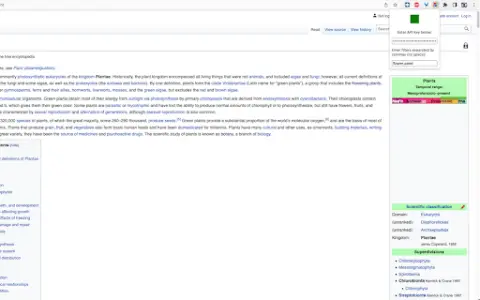
Introduction
Google Cloud Vision AI uses machine learning to understand image content.
What is the Google Vision AI Chrome extension/plugin?
Google Cloud Vision AI enables developers to understand the content of images by leveraging powerful machine learning models. It can quickly classify images into thousands of categories, detect various objects and faces within them, identify printed text, recognize inappropriate content, and even perform sentiment analysis. This service is accessible through a user-friendly REST API.
How to use the Google Vision AI Chrome extension/plug-in?
To use Google Cloud Vision AI, you need a Google Cloud Platform (GCP) account and an API key. Once you have these, you can send image data to the Vision API via REST API calls. The API will analyze the image and return structured data regarding its content, including tags, objects, faces, text, and more.
The core functions of the Google Vision AI extension/plugin for Chrome.
Image classification
Object detection
Face detection
Optical Character Recognition (OCR)
Inappropriate content detection
Emotional analysis
Related
MausBot
An open-source AI employee platform running locally
Vincentt
Using a programming proxy to quickly enable interaction with webcams.
Milepost
Driving Log App on iPhone
guilds.run
An open-source AI proxy team that allows for the tracing of every step taken in its development process.
Farol
A Mac terminal where multiple programming agents run in parallel.
ImageFlow
A free PSD-level image editing tool that runs within web browsers.