AI TOOL / #07230
hahaOCR
Extract text from the image; press the ESC key to exit.
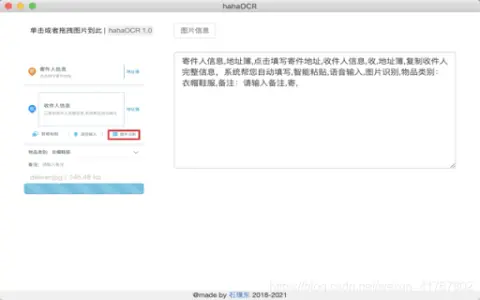
Introduction
Extract text from images and exit with ESC.
What are the Image to Text and ESC Exit App AI Chrome extensions/plugs?
This application allows users to extract text from images and convert it into editable text. Users can upload images by clicking a button and exit the application by pressing the “ESC” key.
How to use the Image to Text & ESC Exit App AI Chrome extension/plug-in?
Click the upload button to select an image. The application will automatically extract the text from the image and display it. Press the “ESC” key to exit the application.
The core functionality of the Image to Text and ESC Exit App AI Chrome extension/plugin.
Image to Text conversion
Use the ESC key to exit the function.
Related
Roxy
Roxy is an AI voice assistant that supports hands-free natural conversation and assistance.
AIWritingPal Intelligent Writing Assistant
AIWritingPal is a powerful AI-based content creation tool that utilizes advanced artificial intelligence to enhance writing skills. It offers features such as grammar correction, spelling verification, and style optimization to improve the quality of written materials. Compatible with over 30 languages, AIWritingPal is designed to assist users in producing unique and engaging articles, advertisements, emails, and more.
Bertha.ai
AI writing assistants for WordPress and Chrome, designed to generate engaging content and images.
Swell AI
Artificial intelligence tools that enable the reuse of audio/video content in various marketing formats.
Typeboss
An artificial intelligence-powered content generation tool, equipped with over 50 templates for creating high-quality materials.
Thundercontent
AI content platforms are used to quickly generate articles, audio, and video content.