AI TOOL / #07222
ReadImage
Extract, edit, and copy text from images on web pages.
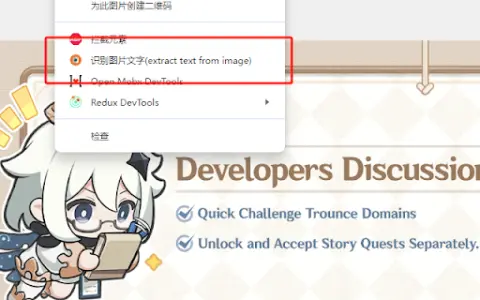
Introduction
Extracts, edits, and copies text from images on web pages.
What is Image Text Extractor ai chrome extension/plugin?
This extension allows users to extract text from images displayed on web pages. It supports common image formats such as jpg, jpeg, png and bmp. After extraction, the text can be edited and copied.
How to use Image Text Extractor ai chrome extension/plugin?
Hover your mouse over the image, right-click and select "Extract text from image". Press "Ctrl + Q" to view the extracted text on the extension page, where it can be edited and copied.
Image Text Extractor ai chrome extension/plugin core features
Extract text from images on web pages
Edit extracted text
Copy extracted text
Related
Dubtitles
An AI-powered generator for generating subtitles for YouTube videos and podcasts, supporting over 50 different languages.
Unsummary
AI tools are used to generate summaries for books, movies, television programs, podcasts, as well as personal content.
TubeRecap
A Chrome extension that uses artificial intelligence to summarize long YouTube videos and podcasts.
PodSnap.AI
AI-generated podcast summaries are sent directly to your inbox.
Audioloom
Audioloom turns reading content into AI podcasts complete with music and sound effects.
Relevant
AI podcast assistant, providing real-time content suggestions and transcription services.