AI TOOL / #07211
ChatGPT Visioner for Screenshot Reading and Analysis
A Chrome extension that integrates screenshots into ChatGPT conversations for analysis and accurate responses.
Introduction
Chrome plugin for integrating screenshots into ChatGPT conversations for analysis and accurate responses.
What is the ChatGPT Visioner AI Chrome extension/plugin?
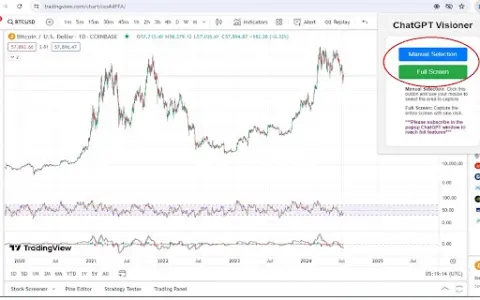
ChatGPT Visioner is a Chrome extension that enhances browsing and productivity by capturing screenshots of web pages and integrating them into ChatGPT conversations. It allows users to enter prompts and automatically saves and retrieves screenshots, enabling ChatGPT to analyze the content of the screenshots and provide accurate responses. The extension can process both image content and text within images, making it ideal for tasks such as text manipulation and chart analysis.
How do I use the ChatGPT Visioner AI Chrome extension/plugin?
Install the ChatGPT Visioner Chrome extension. Capture a screenshot of the active web page by selecting an area manually or taking a full-screen screenshot. Enter a prompt, which will be automatically saved. The extension sends the screenshot and prompt to ChatGPT for analysis and a response. Review and edit the response as needed.
Core Features of the ChatGPT Visioner AI Chrome Extension/Plugin
Screenshot Capture and ChatGPT Integration
Prompt Input and Management
Automatic Prompts for Saving and Retrieving
Save the conversation as a Word file
Related
New AI Photo Editing Tool
An AI editor that can modify photos in just one sentence
New Modelpeers
AI model and agent dynamic tracking
New Flatbread
Share programming agent sessions as links
New Zest
Throw development tasks to the AI agent's roulette wheel with one click
New FLUX 3 Image Klein
BFL's open-weight lightweight text-to-image model
New Off-Grid AI Technology
An AI assistant that runs offline on your own device.