AI TOOL / #07148
ORC Text Snap
Tools used to extract text from images, videos, or PDF files using OCR technology.
Introduction
A tool to extract text from images, videos, or PDFs using OCR technology.
What is an Optical Character Recognition AI Chrome extension/plug-in?
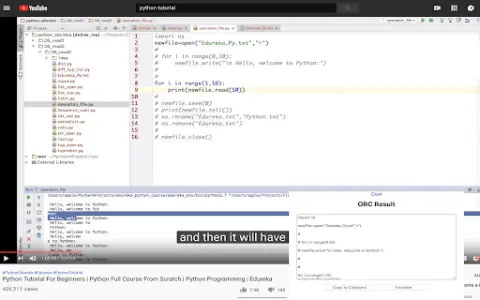
This is a practical tool that allows users to extract text from images, videos, or PDF files with just one click, eliminating the need to re-enter the text character by character. A common use case for this tool is copying any text contained in YouTube videos or tutorial materials in image format. This tool utilizes the lightweight OCR engine Tesseract.js to extract text from images.
How to use the Optical Character Recognition AI Chrome extension/plug-in?
1. Click the icon and then select the area or image that contains the text you want to extract.
2. Wait for the tool to complete the text extraction process.
3. The extracted text will be displayed in a text box. You can click the “Copy” button to copy it to the clipboard and then paste it anywhere using Ctrl + V.
4. You have the option to translate the extracted text into the language of your choice.
5. On the settings page, you can specify the OCR language as well as the target translation language.
The core functionality of the Optical Character Recognition AI Chrome extension/plug-in
Extract text from images, videos, and PDF files.
One-click text extraction
Copy the text to the clipboard.
translation options
OCR language selection
Related
SquadRoom
An AI expert team that uses kanban systems to assign tasks efficiently
ngram
AI tool that converts screen recordings into presentation videos
Halo
A handy utility for converting the notch on your Mac into a “Dynamic Island” interface
Max Creative
Cross-border e-commerce: TikTok AI-generated media content
X-Pilot
AI that converts courseware and teaching materials into instructional videos
PostWizard
Generate and schedule X tweets