AI TOOL / #06813
Podcast Auto Edit for iOS
An iOS app for video creation with teleprompter, AI camera, and advanced editing features.
Introduction
An iOS app for video creation with teleprompter, AI camera, and advanced editing.
What is Detail: Video & Captions?
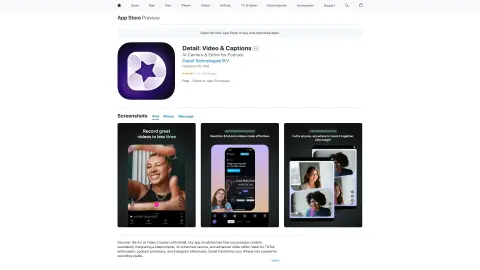
Detail: Video & Subtitles is a video content creation application designed for iOS devices. It integrates a teleprompter, AI-enhanced camera, and advanced video editor, making it especially suitable for TikTok enthusiasts, podcast producers, and Instagram influencers. The app supports multi-camera collaboration, seamless editing, background changing, dual-view recording, efficient script delivery, smart subtitles and instant cinematic effects.
How to use Detail: Video & Captions?
Download the Detail: Video & Subtitles app from the App Store. Narrate your script with confidence using the built-in teleprompter. Record video with the AI-enhanced camera. Edit, splice, and mix clips using an intuitive interface. Enhance your content with features like green screen, dual-camera recording, and AI-driven subtitles.
Detail: Core Features of Video & Captions
AI-enhanced camera and video editor
Integrated teleprompter
Multiple camera support
automatic subtitles
Use green screen for background transformation
Dual perspective recording
Instant movie effects
Related
MausBot
An open-source AI employee platform running locally
Vincentt
Using a programming proxy to quickly enable interaction with webcams.
Milepost
Driving Log App on iPhone
guilds.run
An open-source AI proxy team that allows for the tracing of every step taken in its development process.
Farol
A Mac terminal where multiple programming agents run in parallel.
ImageFlow
A free PSD-level image editing tool that runs within web browsers.