AI TOOL / #06796
AutoPod
An Adobe Premiere Pro plugin for automatic video podcast editing.
Introduction
Adobe Premiere Pro plugin for automatic video podcast editing.
What is AutoPod?
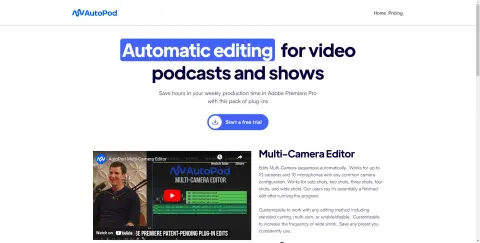
AutoPod is a set of plugins for Adobe Premiere Pro, designed specifically for video podcast and video program editors. It automates tasks such as multi-camera editing, creation of social media-ready content, and seamless editing based on audio silence markers. By streamlining processes that often prove time-consuming for editors, AutoPod helps to save valuable production time every week.
How to use AutoPod?
Install the AutoPod plugin in Adobe Premiere Pro. Open a project file in Premiere Pro, navigate to Window > Extensions, and then click on the desired AutoPod application. Use these tools to automatically edit multi-camera videos, create social media-ready clips, or add transitions based on audio silence.
The core functions of AutoPod
Automatic multi-camera editing
Social media content creation
Jump-cut editing
Related
Music Prompt Generator
An AI-based music suggestion generator, designed to help inspire creativity and facilitate customized songwriting.
Lyrist
An integrated toolkit provided for songwriters and composers, designed to assist in the creation and sharing of music.
Free AI Song Generator – AI-Song.AI
Free online AI tools that make it easy to create unique songs – these tools support AI-generated melodies and lyrics.
Udio AI Music Generator
AI music generators utilize advanced AI algorithms to create unique and high-quality musical works.
AI Music Creator: Text to Song
An AI-powered app that creates royalty-free music from text in seconds.
Rapid AI
An open-source AI organization dedicated to the implementation of AI model engineering.