AI TOOL / #06677
Voice Control for Netflix
Use voice control to operate Netflix: play, pause, fast-forward, and more.
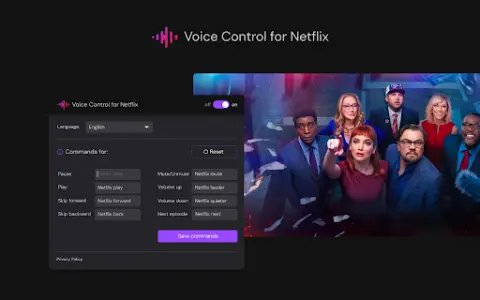
Introduction
Control Netflix with your voice: play, pause, fast-forward, and more.
What is the Voice Control for Netflix AI Chrome extension/plugin?
Netflix’s voice control allows users to manage their Netflix experience via voice commands. This includes tasks such as playing, pausing, and advancing videos, all without the need to use a remote control or touch the screen.
How to use the Voice Control feature for the Netflix AI Chrome extension/plug-in?
Simply enable Netflix’s voice control, and then use voice commands to control playback, navigate the menu, and search for content.
The core functionality of the Netflix AI Chrome extension/plugin for voice control
Use voice control to operate Netflix playback functions (play, pause, fast forward, rewind).
Hands-free navigation, Netflix menu
Voice search for films and TV shows
Related
TranscribeAI: Audio to Text
AI-powered applications that enable rapid and accurate audio-to-text conversion.
VibeTrack
A scheduling tool focused on face-to-face meetings with AI-driven collaboration capabilities.
TubeOnAI
AI-based summary generators and content reuse tools, suitable for use with videos, podcasts, articles, and documents.
storyflash Audio Suite
Automatically converts news content into audio format and provides services for its distribution on social media platforms.
Podcastify
Chrome extension that converts web content into podcasts for easy learning on the go.
Ad Auris Play
Convert the article into a podcast-style narration that’s easy to listen to.