AI TOOL / #06631
Voice-to-ChatGPT
Voice-controlled ChatGPT interactions via browser plug-in.
Introduction
Voice-controlled ChatGPT interaction via a browser extension.
What is the Voice-to-ChatGPT ai chrome extension/plugin?
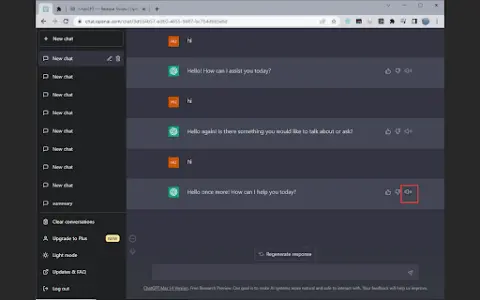
Voice Control ChatGPT is a browser plug-in that allows users to interact with the ChatGPT language model through voice. It leverages Google Chrome's speech recognition and text-to-speech technology to enable users to use voice input and audible replies from ChatGPT. Users can hold down the button to speak their question, release the button to send, and optionally cancel or edit before sending.
How to use Voice-to-ChatGPT ai chrome extension/plugin?
Open the ChatGPT homepage, press and hold the Talk button to speak, and release the button to send your question. You can cancel or edit your entry before sending.
Voice-to-ChatGPT ai chrome extension/plugin core functionality
Voice input to ChatGPT
Text-to-speech output for ChatGPT
Major languages supported
Press and talk function
Related
dreamai.info
An AI-based application for deciphering dreams, providing digital horoscope readings, and offering insights into daily life.
Tabirim co
An AI-powered dream interpretation website for personalized dream analysis.
Partykit
An AI-powered party planning tool that offers theme packages, suggestions, and ideas to make your event hassle-free and a success.
Recipe Roulette
An application for finding recipes through ingredients, enhanced with AI.
MealPractice
MealPractice simplifies meal planning with AI-generated recipes and smart shopping lists.
RecetasIA
An artificial intelligence-based recipe generator that creates personalized meal plans based on users' preferences and dietary requirements.