AI TOOL / #06524
Speak based on Azure Speech
Text-to-speech extension using Azure Speech with support for multiple languages and Chrome live subtitles.
Introduction
Text-to-speech extension using Azure Speech, supports many languages and Chrome Live Caption.
What is Azure Speech TTS Extension ai chrome extension/plugin?
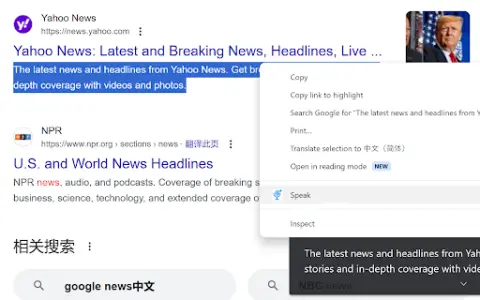
This is a text-to-speech (TTS) extension that leverages the Azure Speech service to convert selected text to audio. It supports multiple languages and integrates with Chrome's Live Subtitles feature for enhanced accessibility. Users need to configure the extension using their Azure Speech Service API key to enable TTS functionality.
How to use Azure Speech TTS Extension ai chrome extension/plugin?
Install the extension, configure it with your Azure Speech Service API key, select text on a web page, and use the extension to play audio for the selected text. Audio playback will be based on the selected language and voice settings.
Core features of Azure Speech TTS Extension ai chrome extension/plugin
Text-to-speech using Azure Speech Service
Support multiple languages
Integrate with Chrome Live Subtitles
Configurable voice settings
Related
Superdraft
Help e-commerce businesses identify the right timing for marketing campaigns and craft effective email messages.
Remocn Studio
Let the programming proxy help you create product release videos.
HarnessHive
AI-native wiring harness design collaboration platform
Invited
An AI reminder app that identifies the date based on photos taken.
New TVLab
Community for Inspiration and Creation in AI Short Drama Storytelling
Foley
A voice to-do that creates a task with just one sentence.