AI TOOL / #06135
Ask Screenshot for ChatGPT
Improve ChatGPT productivity by analyzing screenshots and selected text.
Introduction
Enhances ChatGPT productivity by analyzing screenshots and selected text.
What is the Ask Screenshot AI Chrome extension/plugin?
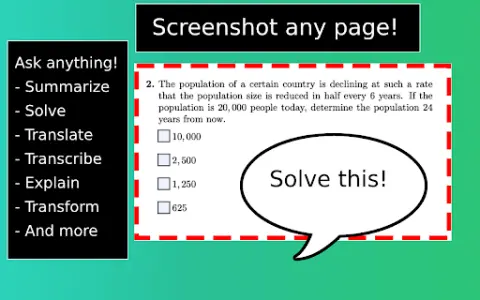
Ask Screenshot is a tool designed to improve productivity in ChatGPT, allowing users to analyze screenshots or selected text directly within ChatGPT. It offers features such as summarization, transcription, and translation, making it easier to extract information and process content from visual and textual sources.
How do I use the Ask Screenshot AI Chrome extension/plugin?
To use Ask Screenshot, right-click anywhere on any page and hover over Ask GPT to access the available screenshot templates. For selected text, right-click the selected text and hover over Ask GPT to view the available templates.
Core features of the Ask Screenshot AI Chrome extension/plugin
Screenshot and analyze: Take a screenshot and automatically open it in ChatGPT for analysis.
Text selection and analysis: Right-click any selected text to automatically open it in ChatGPT.
Related
Nebius
A cloud platform for building, fine-tuning, and running AI models on NVIDIA GPUs.
Semiring
Semiring simplifies the process of building and deploying custom machine learning models by requiring minimal amounts of data and specialized knowledge.
prompteasy.ai
Prompteasy.ai: Fine-tunes artificial intelligence models by generating datasets through conversations with AI systems.
GPTder
A platform designed to help users discover, utilize, and develop GPT models, offering account sales with immediate delivery.
Countless.dev
A free, open-source platform that enables users to compare AI models from various suppliers.
AI Fashion Models (Face Swap) by insMind
An AI creative toolkit designed for e-commerce and marketing, offering AI tools and photo editing features.