AI TOOL / #04897
Patent Highlighter
Browser extensions that highlight technical information in patents while suppressing legal jargon.
Introduction
Browser extension that highlights technical information in patents, suppressing legal jargon.
What is the Patent Highlighter AI Chrome extension/plug-in?
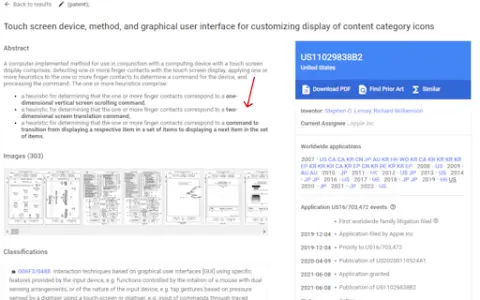
The Patent Highlighter is a browser extension designed to enhance the efficiency of reading and understanding patents. It highlights technical information within patent documents while suppressing redundant legal terminology, allowing users to quickly identify key inventions and technical details without altering the original text written by the inventors.
How to use the Patent Highlighter AI Chrome extension/plug-in?
1. Open a patent on Google Patents.
2. Click the patent highlighter extension icon in your browser.
3. Click the "Highlight" button.
4. Wait for the important information to be highlighted.
The core functionality of the Patent Highlighter AI Chrome extension/plugin
Highlight the technical information contained in the patent.
Reducing the use of redundant legal language
Maintain the original text written by the inventor.
Browser extension integration
Related
Stitch.ai
An AI workspace that integrates email, calendar, and notes into one convenient system.
FeelFish
An AI intelligent client for the creation of long novels
YUHINA
One chapter of teaching material can be used to create an entire set of courses.
Fotor Agent
A dialogue-generation system that can be used to create editable video sequences using an Agent.
GenRoom
Upload room photos to generate AI-designed layout diagrams.
Essential for slacking off – 80 online HTML mini-games
A platform that offers 80 online HTML games, with the list of games directly providing access to their respective websites. Examples include Viking Wars, Fishing Master, Plants vs. Zombies, and 3D Puzzle, among others. Each game comes with a direct link, allowing players to start playing immediately upon clicking on it.