AI TOOL / #04211
Ask GPT
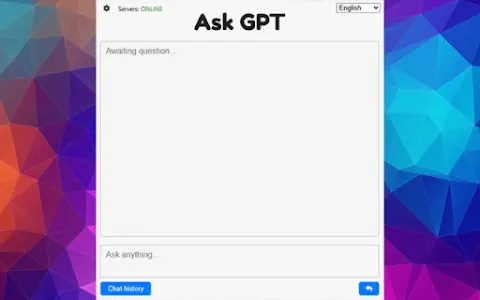
A Chrome extension that enables quick and convenient question-and-answer interactions via the ChatGPT API.
Introduction
A Chrome extension for quick and easy question answering using ChatGPTs API.
What is the ChatGPT Chrome Extension? What is an AI-related extension for Chrome?
This Chrome extension enables users to access the ChatGPT API instantly, allowing them to answer questions quickly and conveniently. Users can pose any question and receive accurate and comprehensive answers without the need for any registration. Its purpose is to assist users in conducting research, learning, and satisfying their curiosity by providing information in a timely and efficient manner.
How to use the ChatGPT Chrome Extension? How to activate this AI-related extension for Chrome?
After installing the Chrome extension, you can simply submit your questions. This extension utilizes the ChatGPT API to provide fast and comprehensive responses.
The core functions of the ChatGPT Chrome Extension – an AI-based extension program for Google Chrome.
Provide quick and convenient access to the ChatGPT API.
Answer questions immediately
No registration required
Related
InsightGPTs
An efficient text-generation AI plugin based on large language models.
SMMAI: AI Banner Maker
Skip the blank canvas – AI will instantly generate thousands of banners for you. Free web versions and iOS apps are available at any time!
Thirdi
An artificial intelligence-driven growth marketing platform that enables data-powered campaigns and enhanced customer interactions.
instaon.io
An artificial intelligence-based advertising optimization platform designed to efficiently manage online advertising campaigns.
AdScan: Save Facebook, TikTok & YouTube Ads
A Chrome extension designed for saving, transcribing, and analyzing online ads, featuring AI capabilities.
qortex.ai
An advanced video intelligence platform that provides actionable insights, enabling the linking of videos with performance results.