AI TOOL / #04022
Bullet Points: summarize Web pages with GPT-3
This browser extension uses AI technology to extract three key points from web page summaries.
Introduction
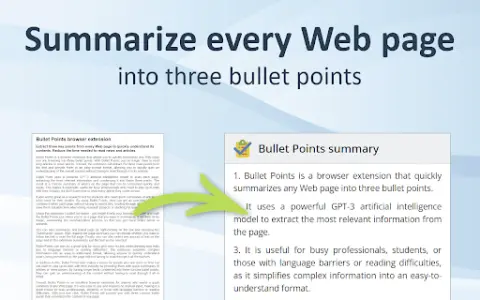
Browser extension summarizing web pages into three bullet points using AI.
What is the Bullet Points AI Chrome extension/plug-in?
Bullet Points is a browser extension that uses the GPT-3 AI model to summarize web pages into three key points. It extracts the most relevant information, providing a concise overview of the content. Its purpose is to save time for busy professionals, students, and anyone who needs to quickly obtain summaries of articles or web pages.
How to use the Bullet Points AI Chrome extension?
After installing the extension, click on the Bullet Points icon on the page to summarize the content. You can also right-click on a link and select “Summary” to extract the key information from that page, or simply select the text you want to summarize directly on the page.
Core features of the Bullet Points AI Chrome extension/plugin
Summarize the web page into three key points.
Use GPT-3 AI to generate accurate summaries.
Right-click on the link to open the summary page.
Summarize the selected text.
Related
GoINSMS offers free code reception services.
Free number reception service (www.goinsms.xyz) offers free SMS reception services for mobile numbers from various countries, including China, the United States, and the United Kingdom. You can use our free mobile numbers to register for an APP or create an account.
Rankfender
An integrated platform that combines SEO and AI technologies to enhance search visibility
Cinemagiq
AI-based production management platform for feature films and television series
GifGenerator
Creating a looping GIF from text or photos
Audio AI
Online AI Audio Toolset
oma-games
An open-source, free collection of single-file arcade games that rewrites and packages 11 classic arcade titles into separate HTML files. After downloading the source code, simply double-click on the .html file to play offline – no ads involved, and it can also be copied to a USB drive for play anywhere.