AI TOOL / #03966
OneClick AI
OneClick AI simplifies workflows by allowing users to extract and summarize content with just one click.
Introduction
OneClick AI streamlines workflows by extracting and summarizing content with a single click.
What is the OneClick AI Chrome extension/plugin?
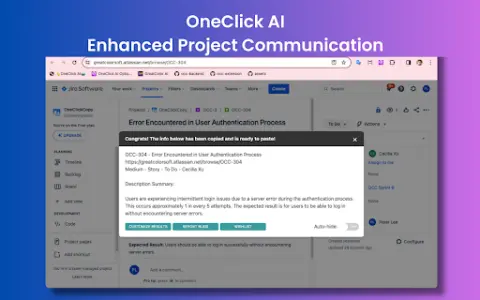
OneClick AI is a tool designed to streamline workflows by enabling one-click extraction and summarization of content. It enhances productivity in areas such as project management, cross-team collaboration, personal research, and information sharing. The tool allows users to customize the appearance of the results, and all extracted data is immediately copied to the clipboard for further use.
How to use the OneClick AI Chrome extension/plug-in?
You can activate OneClick AI by clicking on the expansion icon in the toolbar, right-clicking to open the context menu, pressing the shortcut key, or right-clicking on the expansion icon in the toolbar.
The core functionality of the OneClick AI Chrome extension/plug-in
One-click extraction and summarization of content
Multilingual summary
The result is automatically copied to the clipboard.
Related
Lucidly
Applications that use AI to detect REM sleep and induce lucid dreams.
Dr Chan
Artificial intelligence-based medical assistants provide medical guidance and support.
Keepo – AI health tracker & assistant
An AI assistant for medical document analysis and health Q&A.
intuitionrobotics.com
Providing elderly people with artificial intelligence-powered companionship robots is primarily aimed at reducing feelings of loneliness and enhancing their well-being.
Kyla MD Copilot
AI assistants designed to enhance clinical decision-making and reduce the need for routine tasks.
Quantum AI Health Copilot and Ambient Scribe for Practice Fusion
Utilize generative AI to automatically generate SOAP notes and EHR tasks.