AI TOOL / #02886
Scrapybara
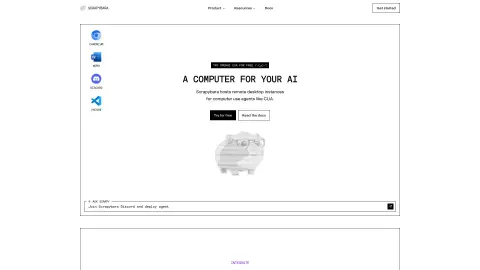
Remote desktop instances designed for use with AI agents, featuring a unified API and low-level control capabilities.
Introduction
Remote desktop instances for AI agents with unified API and low-level controls.
What is Scrapybara?
Scrapybara provides remote desktop instances for computers using proxies such as CUA and Claude Computer Use. Through a unified API, developers can use any available model to execute proxy tasks with just one line of code, and gain access to low-level controls such as browsers, file systems, and code sandboxes. Scrapybara handles automatic scaling, authentication, and system environment management, enabling users to deploy proxy queues in production environments and automate any type of computational task.
How to use Scrapybara?
Developers can use Scrapybara by installing its Python or TypeScript SDKs. After initializing the client, they can launch an Ubuntu instance and then utilize the `client_act()` method along with various tools such as ComputerTool, BashTool, and EditTool, along with a specified AI model like OpenAI, to execute automated tasks—for example, web scraping operations.
The core functions of Scrapybara
Remote desktop instances used for AI agents
A unified API that allows agents to be used with any model.
Low-level controls (browsers, file systems, code sandboxes)
Automatic scaling, authentication, and system environment management
Instantly launch a desktop instance.
Browser capabilities, code execution abilities, and file system functionality
Hundreds or thousands of instances can be launched within milliseconds.
Low latency in computational operations
Interactive streams for monitoring and control
Authenticated access is required to save and load website content.
Session persistence enables the suspension and resumption of instances.
Related
SquadRoom
An AI expert team that uses kanban systems to assign tasks efficiently
ngram
AI tool that converts screen recordings into presentation videos
Halo
A handy utility for converting the notch on your Mac into a “Dynamic Island” interface
Max Creative
Cross-border e-commerce: TikTok AI-generated media content
X-Pilot
AI that converts courseware and teaching materials into instructional videos
PostWizard
Generate and schedule X tweets