AI TOOL / #02660
Grok Button
A browser extension that provides quick access to Grok AI.
Introduction
A browser extension for quick access to Grok AI.
What is a Grok Button?
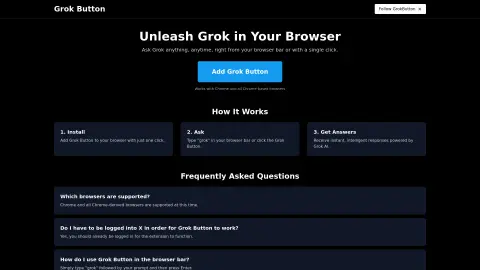
The Grok button is a browser extension that seamlessly integrates the powerful capabilities of Grok AI into your web browser. Users can submit their questions by entering “grok {your question}” in the browser address bar or by clicking the Grok button, and they will receive instant, intelligent responses.
How to use the Grok Button?
Install the Grok button extension. To use it, enter “grok” followed by your question in the browser address bar, then press Enter, or click the Grok button.
The core functionality of the Grok Button
Quickly access Grok AI from your browser.
Answer questions immediately
Integration with Chrome and Chrome-based browsers
Related
Cygentive
An AI voice assistant designed for automating business telephone operations.
Overhyped AI
AI voice agents for product adoption and customer success.
Flowtica AI,
An AI voice assistant designed to help organize work and daily life, which can be controlled through voice commands and automated functions.
Presto AI
Providing AI-powered automation for drive-thru restaurants to increase labor productivity and revenue.
Pinarify AI
An AI-powered app for note-taking, PDF analysis, and YouTube video summarization.
Empathia AI
Provide clinical doctors with an AI-based charting assistant that automates the process of taking notes and generating charts.