AI TOOL / #02295
Enigma, ChatGPT Sidebar
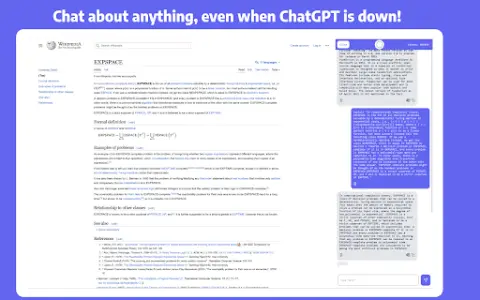
The browser extension integrates ChatGPT for a variety of tasks including summarization and content creation.
Introduction
Browser extension integrating ChatGPT for various tasks like summarizing and content creation.
What is Enigma Extension ai chrome extension/plugin?
The Enigma extension enhances your browsing experience by integrating ChatGPT directly into your browser. It allows you to interact with PDF files, compose content, summarize web pages, write emails, and more without leaving the current web page. Even in high-demand situations, ChatGPT features are easily accessible via the sidebar or context menu.
How to use Enigma Extension ai chrome extension/plugin?
Install the Enigma extension. Use ctrl+alt+j (ctrl+cmd+j on MacOS) to open the sidebar, or click the Enigma icon. Use the compose tag for content writing. Highlight text to query or translate it.
Enigma Extension ai chrome extension/plug-in core functionality
Talk to PDF files
Summary page
Write blog and social media content
Write and summarize emails
Translate highlighted text
Query highlighted text on any website
Keep chat context separate for each website
Related
Cosyra
The terminal where Claude Code runs on mobile devices
LiveReview
Code review with automatic approval based on risk levels
Pachat
Have multiple AI assistants in the same group verify each other’s work.
Yuanbao Search
AI web search developed by Tencent
Nowistay
An AI-powered partner for short-term rental property owners
Collection of Open-Source WEB Mini-Games
An open-source platform that brings together 60 excellent H5 games. All these games are sourced from open-source projects on the Internet and cover a wide range of genres, including action, puzzle, racing, shooting, and more. You can play them online instantly whenever you want.