AI TOOL / #11824
LoudFlow
选中文字按两个键就朗读的AI语音工具
Introduction
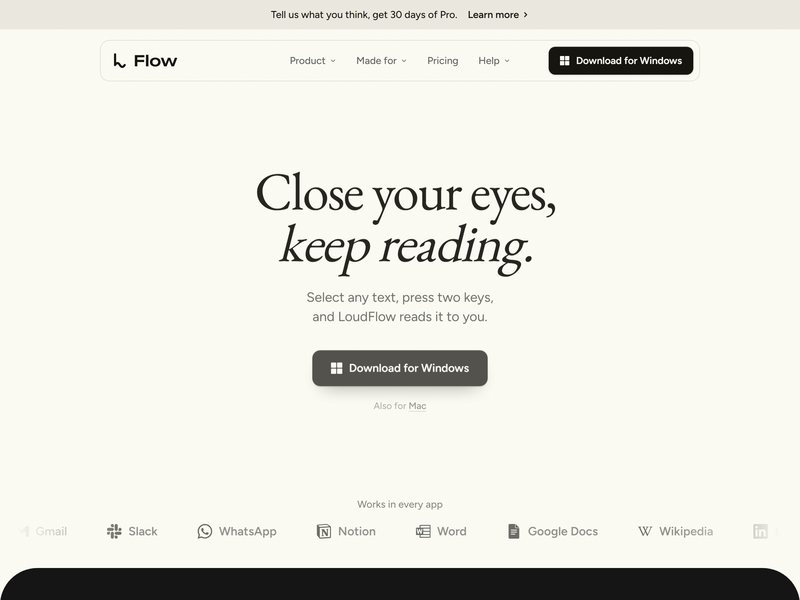
LoudFlow 是一款 Windows 和 Mac 上的文字转语音工具。在任意应用里选中一段文字,按两个键,它就用接近真人的声音念给你听,网页、邮件、Word、Notion 里都行。
官方的说法是「先想再读」。带表情符号的聊天消息、带脚注编号和页码的学术段落,它会先整理成适合听的句子再读出来,年份、时间、百分比按口语习惯念。声音可以从预设里挑,也可以做一个自己的,支持 86 种语言。
它瞄准的人群写得很明确:要赶阅读量的学生,阅读有困难或者注意力容易散的人,学外语想听每个词怎么读的人,还有想听一遍自己稿子的写作者。有免费版和 Pro 版,官网称文本只有用户自己能看到。中文的朗读自然度建议先用免费版试。
Related
kuizu
An AI-based relationship app for couples that provides daily questions and personalized insights.
Imagine Stories
Platforms based on artificial intelligence are used to create personalized children's stories and therapeutic content.
Txt Your Ex
AI-powered therapeutic text-based communication helps you heal from feelings of separation.
Free AI (not a) Therapist
AI chatbots designed for self-help and mental health purposes cannot replace professional therapy.
ZuoWang – Meditation,Zen
A meditation app with a traditional Asian user interface and AI Q&A.
MindMateGPT
AI-based psychotherapist app that provides personalized mental health support and coping strategies.