RunPod
Global distributed GPU cloud computing service provider
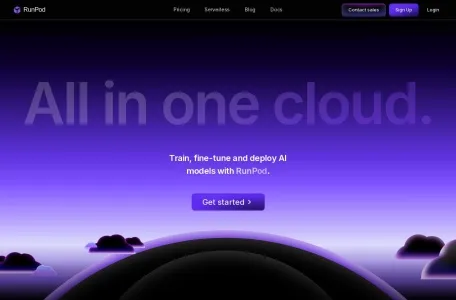
Introduction
What is RunPod used for?
RunPod is a global provider of distributed GPU cloud computing services, dedicated to offering high-performance GPU computing resources to meet the needs of compute-intensive tasks and applications. It enables users to rent GPU cloud instances in order to accelerate the execution of tasks involving machine learning, deep learning, data analysis, and scientific computing.
Main functions of RunPod
The main functions of RunPod include:
1. GPU Instance Rental: Users can rent GPU cloud instances on the RunPod platform, which provide high-performance computing resources.
2. Various GPU configurations: RunPod offers a range of GPU configuration options to meet the needs of different tasks.
3. Support for deep learning frameworks: Popular deep learning frameworks such as TensorFlow and PyTorch are pre-installed, simplifying the setup of machine learning tasks.
4. Real-time Monitoring: Provides real-time resource monitoring and performance statistics to assist users in optimizing task execution.
5. Data Privacy: Ensure the confidentiality of user data and provide measures for data security and privacy protection.
6. Elastic scaling: It is possible to expand GPU instances as needed in order to accommodate changing workloads.
Features of RunPod
The main features of RunPod include:
1. High-performance GPUs: Provide high-performance GPU computing resources to accelerate compute-intensive tasks.
2. Multiple configurations: Designed to meet the performance requirements of various tasks.
3. Ease of use: Tools such as the RunPod Python library simplify interactions with the RunPod platform. Abundant documentation and sample code are provided to assist users in getting started quickly.
4. Flexibility: It supports the Serverless architecture, enabling users to quickly create and deploy custom APIs. Additionally, it offers various payment options, such as hourly billing, task-based charging, or pay-per-use models, to accommodate the budgetary requirements of different users.
5. Community Support: Thanks to an active community, users can submit questions and suggestions on GitHub and contribute to the improvement of the project. In addition, the community provides a Discord channel to facilitate communication and collaboration among users.
Target users of RunPod
RunPod is suitable for developers and data scientists who require high-performance GPU computing and Serverless APIs, as well as for enterprises and individual users who need to accelerate tasks involving machine learning, deep learning, data analysis, and scientific computing.
Common Issues with Running Pod
When using RunPod, novice users may encounter some common issues. Below are some of these problems and the corresponding solutions:
1. How to install the RunPod CLI:
– Linux/MacOS (WSL): Install by using the command `wget -qO- cli.runpod.net | sudo bash`.
– MacOS: Use the command `brew install runpod/runpodctl/runpodctl` to perform the installation.
– Windows PowerShell: Install it by using the command `wget https://github.com/runpod/runpodctl/releases/latest/download/runpodctl-windows-amd64.exe -O runpodctl.exe`.
2. How to configure the API Key for authentication:
– Obtain the API Key for your RunPod account and use the command `runpodctl config --apiKey=[your_API_KEY]` to configure it.
3. How to transfer files between the local system and pods:
– Sending files: Run the `runpodctl send [file path]` command on the computer that contains the file, and record the code output by this command.
– Receiving files: On another computer, run the `runpodctl receive [code]` command and pass the code as a parameter.
In addition, users may encounter other specific issues during use, such as performance optimization or error handling. For these problems, it is recommended that users refer to the official documentation of RunPod or seek assistance from community support resources.